

A proper ergonomic desk setup is the strategic arrangement of your workstation to keep your joints in neutral positions, reduce muscular load, and prevent the musculoskeletal strain that brings so many patients through a clinic door. Get the fundamentals right and you address the root cause, not just the symptoms.
Here is what an effective setup requires:
If you have a pre-existing condition such as a herniated disc, scoliosis, or a previous shoulder injury, these general principles need to be adapted to your specific anatomy. A clinician-guided assessment is the most reliable way to do that.
Work through these steps in order. Each one builds on the last, so skipping ahead tends to create compensations that undermine the whole setup.
Step 1: Set your chair first. Push your hips fully back into the seat. Adjust the height until your feet rest flat on the floor and your thighs are roughly parallel to it. Your knees should form approximately a 90-degree angle. Leave a 2–3 finger gap between the front edge of the seat and the back of your knees to avoid compressing circulation. Set the backrest to a slight recline that supports spinal alignment rather than sitting perfectly upright, and confirm the lumbar support aligns with the natural curve of your lower back.
Step 2: Adjust desk height. With your chair set, your elbows should bend at 90–120 degrees when your hands rest on the work surface. If the desk is too high, your shoulders will shrug. Too low, and you’ll round forward. A height-adjustable desk solves this cleanly. If yours is fixed, raise your chair and add a footrest to keep your feet supported, or use a keyboard tray to bring the surface to the right level.
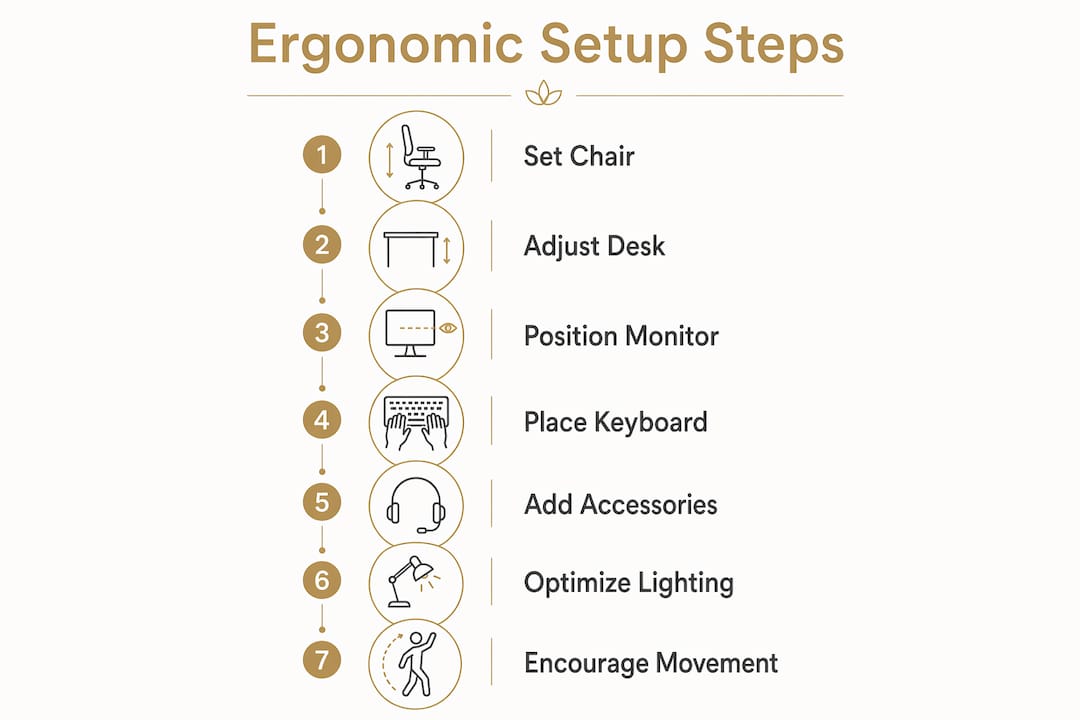
Step 3: Position your monitor. Place it directly in front of your keyboard. The top edge of the screen should sit at or slightly below eye level, positioned 20–26 inches away, at a 10–20 degree downward angle. If you use a laptop, a stand plus an external keyboard is the only way to satisfy both screen height and wrist position simultaneously.
Step 4: Place keyboard and mouse. Center the keyboard in front of your monitor. Your wrists should float in a neutral position while typing. Keep the mouse on the same surface and as close to the keyboard as possible to reduce strain. If you use a full-size keyboard with a number pad, a tenkeyless model brings the mouse closer to your body’s center and reduces shoulder reach. Consider a vertical mouse or trackball if you experience forearm or wrist fatigue.

Step 5: Add accessories as needed. If your feet don’t reach the floor after adjusting your chair, use a footrest to help restore proper thigh and hip alignment. If your monitor sits too low even at its maximum height, a monitor stand or adjustable arm corrects it. These are often the lowest-cost, highest-impact changes in the whole setup. Chiropractic clinicians frequently note that a stack of books under a monitor or a firm cushion as a footrest can provide the same mechanical benefit as purpose-built accessories.
Step 6: Address lighting. Position your desk so windows are to your left or right, never directly in front of or behind your monitor. Ensure ambient lighting is sufficient to read comfortably without causing screen glare. A bias light strip placed behind your monitor reduces the contrast between the bright screen and the dark wall, which is a primary driver of eye fatigue during long sessions.
Step 7: Build in movement. A recommended cycle involves regular alternation of sitting, standing, and light movement to promote circulation and reduce strain during work periods. Set a timer if needed. The goal is frequent transitions, not marathon standing. If you have a work-from-home setup, this discipline is especially important because the informal cues that prompt movement in an office environment are absent.
Pro Tip: Take a side-profile photo of yourself at your workstation every few weeks. Setups drift over time as habits shift, new equipment arrives, or your chair slowly sinks. A photo makes postural changes visible in a way that self-assessment rarely does. If your ear is noticeably forward of your shoulder, your neck is carrying more load than it should.
If you have a pre-existing condition, work with a clinician before finalizing your setup. Adjustments that suit a healthy spine may not suit one recovering from disc injury or surgery.
The providers below cover the full range of what Alberta patients need, from clinical ergonomic evaluation to furniture retail and custom manufacturing.
| Provider | Ergonomic Desks | Chairs & Accessories | Ergonomic Assessment | Location | Pricing / Financing | Rating |
|---|---|---|---|---|---|---|
| Shephard Health Chiropractic Clinic | N/A | N/A | Clinical ergonomic evaluation integrated with chiropractic rehabilitation | Alberta | Session-based; direct insurance billing | 4.9★ (543) |
| Source Office Furniture – Calgary | Standing, L-shaped, executive, U-shaped, corner | Ergonomic, task, executive, big & tall chairs | Not listed publicly | Calgary, AB | — | 4.4★ (155) |
| Premiere Office Furniture | Height-adjustable, sit/stand, ergonomic desks (new and used) | Ergonomic and executive chairs | Not listed publicly | Alberta | New and used options | 4.8★ (149) |
| RGO Products Ltd. | Commercial ergonomic desks; full workplace environment solutions | Commercial chairs and ergonomic support products | Not listed publicly | Alberta | Commercial pricing | 4.3★ (140) |
| Choice Office Furniture | New and used ergonomic desks | Ergonomic seating; office space planning | Not listed publicly | Calgary, AB | Lease financing, no down payment, fast approvals | 4.7★ (98) |
| LIFEFORM Chairs | Not a primary offering | Custom handcrafted ergonomic chairs | Certified Ergonomic Assessment Specialist services | Canada-wide | Custom pricing | 4.7★ (49) |
| Alberta Office Furniture | Custom-made Canadian furniture | Custom ergonomic chairs and accessories | Free ergonomic assessments | Alberta | Custom pricing | 4.6★ (19) |
Shephard Health Chiropractic Clinic is the only provider on this list that approaches ergonomics from a clinical rehabilitation perspective. Rather than selling furniture, the clinic evaluates how your specific musculoskeletal condition interacts with your workstation geometry, then integrates those findings into a personalized treatment plan. For patients managing disc injuries, nerve pain, or post-injury recovery, that clinical lens is what separates a setup that helps from one that inadvertently aggravates the condition. It is the strongest choice for anyone whose pain has not resolved with furniture adjustments alone.
Source Office Furniture in Calgary carries one of the broadest desk selections in Alberta, including standing desks, L-shaped, U-shaped, executive, and corner configurations, alongside an extensive chair range covering ergonomic, task, big and tall, and executive models. It suits office workers who need variety and want to compare options in person.
Premiere Office Furniture stands out for its combination of new and used inventory, which makes height-adjustable and sit/stand desks accessible at lower price points. Budget-conscious patients who need a functional ergonomic setup without a large upfront investment will find the most flexibility here.
RGO Products Ltd. operates at the commercial scale, offering full workplace environment solutions that extend beyond furniture to architectural design and technology integration. It is best suited to businesses outfitting entire offices rather than individual patients configuring a single workstation.
Choice Office Furniture pairs ergonomic expertise with lease financing that requires no down payment and offers fast approvals. For patients who need a complete ergonomic workstation now but prefer to spread the cost, that financing structure is a practical differentiator.
LIFEFORM Chairs is a Canadian manufacturer that builds custom ergonomic chairs and employs staff with Certified Ergonomic Assessment Specialist credentials. If your primary need is a chair precisely fitted to your body, particularly for non-standard proportions or specific spinal conditions, LIFEFORM’s assessment-to-production process addresses that directly.
Alberta Office Furniture offers free ergonomic assessments alongside custom furniture manufacturing within Alberta. It suits patients who want a consultation without an upfront commitment and prefer Canadian-made pieces built to their specifications.
Furniture retailers can sell you the right chair and desk. What they cannot do is assess how your body is actually responding to your workstation, identify the compensatory patterns you have already developed, or treat the tissue damage that has accumulated over months of poor posture.

Shephardhealth takes a different approach. The clinic’s chiropractors and rehabilitation specialists evaluate your posture, movement patterns, and musculoskeletal health as a whole, then build a treatment plan that addresses both the pain you are experiencing and the workstation factors contributing to it. Therapies including Active Release Technique, spinal decompression, laser therapy, and Graston Technique work on the tissue level, while ergonomic guidance ensures your setup supports recovery rather than undermining it. Same-day appointments and direct insurance billing make it straightforward to get started. Book your first visit at Shephardhealth and find out exactly what your workstation is doing to your body.
A proper ergonomic desk setup requires coordinating chair height, monitor placement, keyboard position, and regular movement, guided by your specific body dimensions and any pre-existing conditions.
| Point | Details |
|---|---|
| Monitor placement is critical | Top edge at or slightly below eye level, 20–26 inches away, 10–20 degree downward angle. |
| Chair sets the foundation | Lumbar support at belt level, backrest at 100–110 degrees, feet flat or on a footrest. |
| Movement prevents strain | Change position every 20–30 minutes; no static posture eliminates musculoskeletal risk on its own. |
| Low-cost fixes work | Books under a monitor or a firm cushion as a footrest often deliver the same mechanical benefit as premium accessories. |
| Shephardhealth for clinical cases | Patients with persistent pain or pre-existing conditions benefit from a clinical ergonomic evaluation integrated with chiropractic rehabilitation. |
Same Day Appointments Available
We Direct Bill!